Select participants when the course is by application and selection
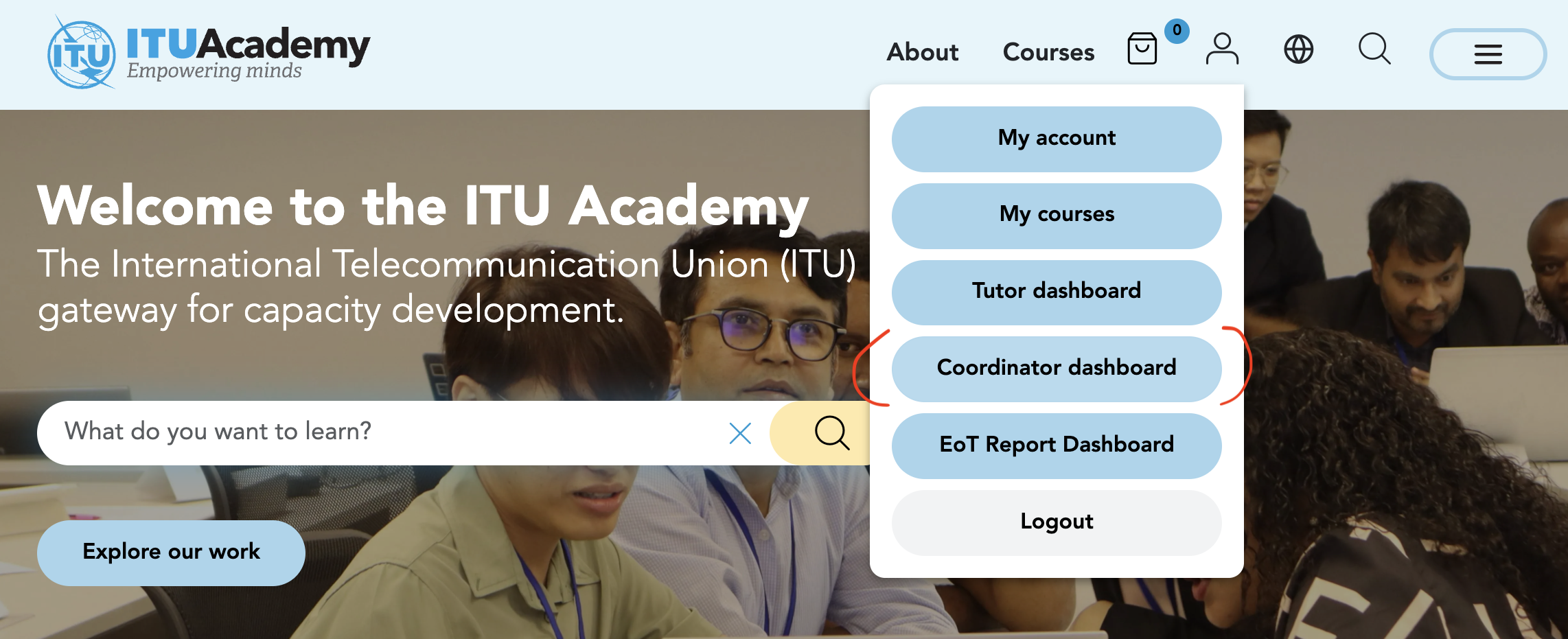
The list of applicants for a course is available under the “Coordinator” menu tab on the ITU Academy.

Steps for free courses:
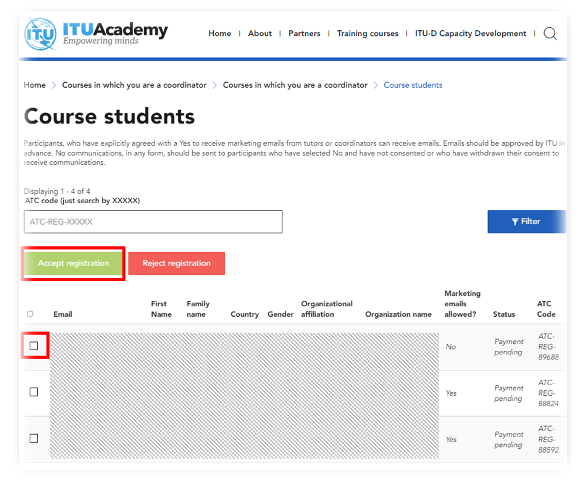
Select participants you wish to accept in the course and select “Accept registration”, the status will change from “Selection pending” to “Accepted” and participants will be enrolled in the course.
Steps for paid courses:
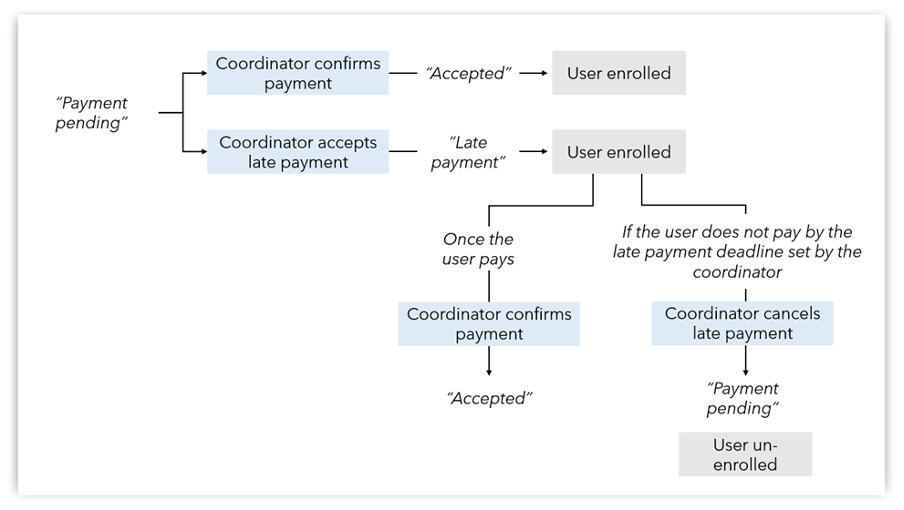
- Select participants you wish to accept in the course and select “Accept registration”, the status will change from “Selection pending” to “Payment pending”.
- Once a participant pays, you can select their name and click on “Accept registration” again. Their status will change to “Accepted” and they will be enrolled in the course.
- If a participant has not yet completed payment but has informed that they need more time, you can select their name and lick “Allow late payment”. This will give the user access to the course while still allowing you to track remaining payments. If the user confirms their payment, you can click on “Accepted” to finalize their status. If the user fails to pay by the set deadline, you can click on “Cancel late payment”, changing their status back to “Payment pending” and removing their access to the course.
Important note: once participants reach the final status of “Accepted” they have access to the course Moodle page. This means that your page should be finished (with all activities set up) or activities should be hidden while you keep working on them.
Select participants when the course is by application and selection AND with a questionnaire
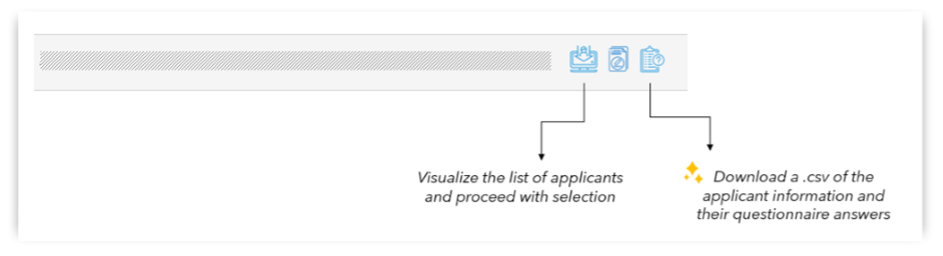
When your course has an application questionnaire, you can download applicant’s information as well as answers to the questionnaire:
Add participants manually
In exceptional cases, where participants are specifically selected or invited for a course, the coordinator can gather their contact details and the ITU Academy team can manually upload them.
For this, the csv template should be filled, with the information required as described in the table below:
Mandatory field | Available options |
| |
First name |
|
Family name |
|
Country |
|
Gender | • male • female • prefer not to say |
Birth year | DD/MMYYYY |
Organization affiliation | • Academia • International Organization • Ministry • Private sector • Regional Organization • Regulator • Telecom / ICT Agency • Other |